Account Settings
Available to: Account Administrators Minimum plan: Free
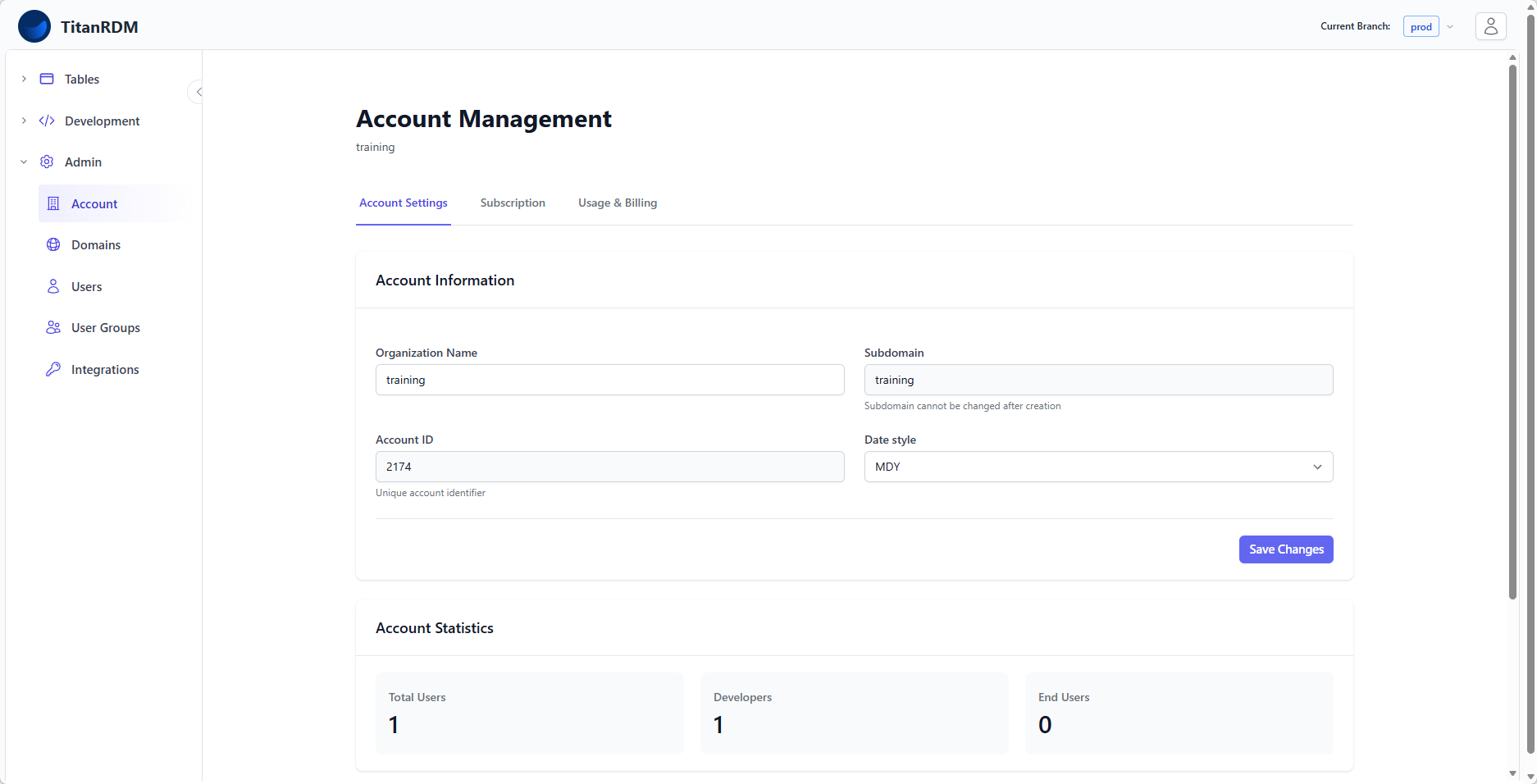
This page covers the account-level settings and configuration options in TitanRDM — organisation details, date formatting preferences, and account activation.
Prerequisites
- Account Administrator group membership
Viewing Account Settings
- Navigate to Admin > Account
- The account detail page shows:
- Organisation name
- Subdomain
- Current plan
- Billing status
- Date style preference
- Legal Documents
Account Properties
| Property | Editable | Description |
|---|---|---|
| Organisation Name | Yes | Your company or team name. Shown in the UI header. Must be unique across TitanRDM. |
| Subdomain | Yes | Set during account activation. Used in your account URL. Careful changing this as it will affect your account URL. |
| Account ID | No | System generated unique identifier for your account in the system. |
| Date Style | Yes | Account-wide default for date parsing during imports. |
Editing Account Settings
- Navigate to Admin > Account
- Update the desired fields
- Click Save Changes
Date Style
The date style setting controls how TitanRDM interprets ambiguous date strings during data imports:
| Setting | Interpretation | Example: "01/02/2024" |
|---|---|---|
| MDY | Month/Day/Year | January 2, 2024 |
| DMY | Day/Month/Year | 1 February, 2024 |
This is the account-wide default. Individual import mappings can override this setting per-table.
Tip: Set this to match your organisation's primary locale. Australian and European organisations typically use DMY; US organisations use MDY.
Account Activation
New accounts go through an activation process after registration:
- Registration — user signs up and creates an account
- Setup — user selects a plan and configures the account
- Billing (paid plans only) — Stripe checkout session for payment
- Activation — TitanRDM creates:
- Default branches (Production; plus Development and Test for Business/Enterprise)
- Default user groups and permissions
- A private branch for the first Developer user (if branching is enabled)
Once activated (is_setup = true), the setup pages are no longer accessible.
Billing Status Effects
The account's billing status affects what users can do:
| Status | Effect |
|---|---|
| Current | Full access to all features within your plan |
| Past Due | Full access for 7 days after status change. After 7 days, the account becomes read-only (users can view data but cannot make changes). |
| Canceled | Account access may be restricted. The plan downgrades to Free when the subscription period ends. |
Important: If your account is in read-only mode due to billing issues, update your payment method in the Stripe billing portal to restore full access.
Multi-Tenancy
TitanRDM is a multi-tenant application. Each account is completely isolated:
- Users can only see data from their own account
- All models are scoped to the current account
- Subdomains are unique across the platform
- Database schemas are per-branch within an account
Related Pages
- Billing and Usage — subscription management, usage tracking, and overage billing
- Single Sign-On (SSO) — OpenID Connect SSO for Business accounts
- Managing Users — adding and managing team members
- Plans and Tiers — feature comparison across plans