Use Case: GL Account Code Migration
Domain: Finance | Pattern: Reference Data Mapping | Scenario: ERP Migration
TL;DR
During an ERP migration (e.g. SAP ECC to SAP S/4HANA or Oracle Cloud ERP), organisations often map legacy GL Account Codes to a redesigned Chart of Accounts. TitanRDM provides a collaborative, governed platform for finance and technical teams to define target GL codes, manage legacy-to-target mappings, integrate with data platforms like Databricks, and promote validated mappings through dev/test/prod environments — all with full audit trail and API/SDK-driven automation.
Business Context
The Problem
When migrating from a legacy ERP system, companies frequently take the opportunity to redesign their Chart of Accounts (CoA) to align with modern reporting requirements. This means legacy GL Account Codes must be mapped to new target codes. Common drivers include:
- System migration — e.g. moving from SAP ECC to SAP S/4HANA or Oracle Cloud ERP
- Acquisition integration — merging an acquired company's CoA into the parent's structure
- Schema incompatibility — the target system's data model cannot directly accommodate the source schema
Mapping Scenarios
The mapping between legacy and target GL Account Codes isn't always one-to-one. Three scenarios arise:
| Scenario | Description | Example |
|---|---|---|
| One-to-one | A single legacy code maps directly to a single target code | 4100 → GL-4100-REV |
| Many-to-one | Multiple legacy codes consolidate into a single target code | 4101, 4102, 4103 → GL-4100-REV |
| One-to-many (split) | A single legacy code splits across multiple target codes | 4200 → GL-4200-DOMESTIC, GL-4201-INTL |
The one-to-many split scenario requires additional programmatic transformation logic during the data load process — the mapping table alone isn't sufficient, so a split indicator and logic description are captured alongside the mapping.
The Challenge Without TitanRDM
Typically the finance team defines target GL codes and mappings in Excel spreadsheets. This creates problems:
- Target codes change frequently as decisions are made during the project.
- Multiple team members need concurrent access.
- No audit trail of who changed what.
- Manual handoffs to the technical team for each mapping update.
- No programmatic access for uploading/downloading changes to the migration data platform.
Benefits of Using TitanRDM
| Benefit | Description |
|---|---|
| Cross-team visibility | Finance and technical teams share a single source of truth for mappings |
| Governed collaboration | Role-based access lets finance manage mappings while tech manages infrastructure |
| Audit trail | Every change to codes and mappings is tracked — who, what, when |
| Environment promotion | Test mappings in Dev/Test before promoting to UAT/Staging/Prod |
| API/SDK integration | Programmatically sync data between TitanRDM and your data platform |
| Instant availability | On-demand sync makes mapping changes immediately available to migration scripts |
| Repeatable pattern | The same three-table pattern works for GL Accounts, Cost Centres, and any other code mapping |
Architecture Overview
The diagram below shows the end-to-end flow: the finance team manages target codes and mappings in TitanRDM, while the tech team manages table creation, environment promotion, and data sync via a single Databricks notebook.
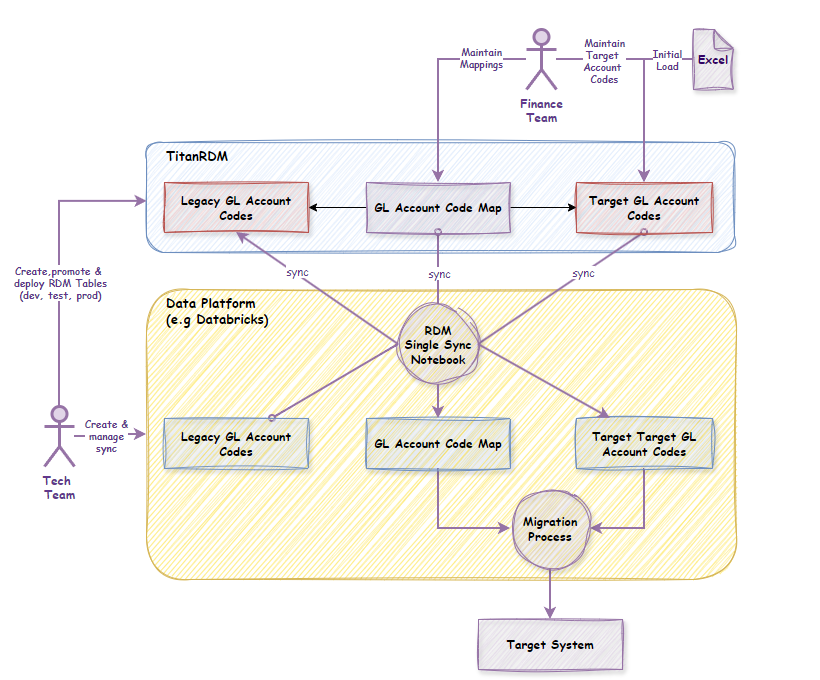
Key flows:
- Finance Team → Maintains target GL Account Codes and mappings directly in TitanRDM; performs initial load from Excel
- Tech Team → Creates and deploys TitanRDM tables; manages the sync notebook; promotes reference data through environments
- Data Platform (Databricks) → A single sync notebook synchronises data bidirectionally between Databricks and TitanRDM via the API/SDK
- Migration Process → Consumes the mapping data from the data platform to execute the ERP migration
Implementation in TitanRDM
Table Design
Three tables are created in TitanRDM to manage the GL Account Code mapping:
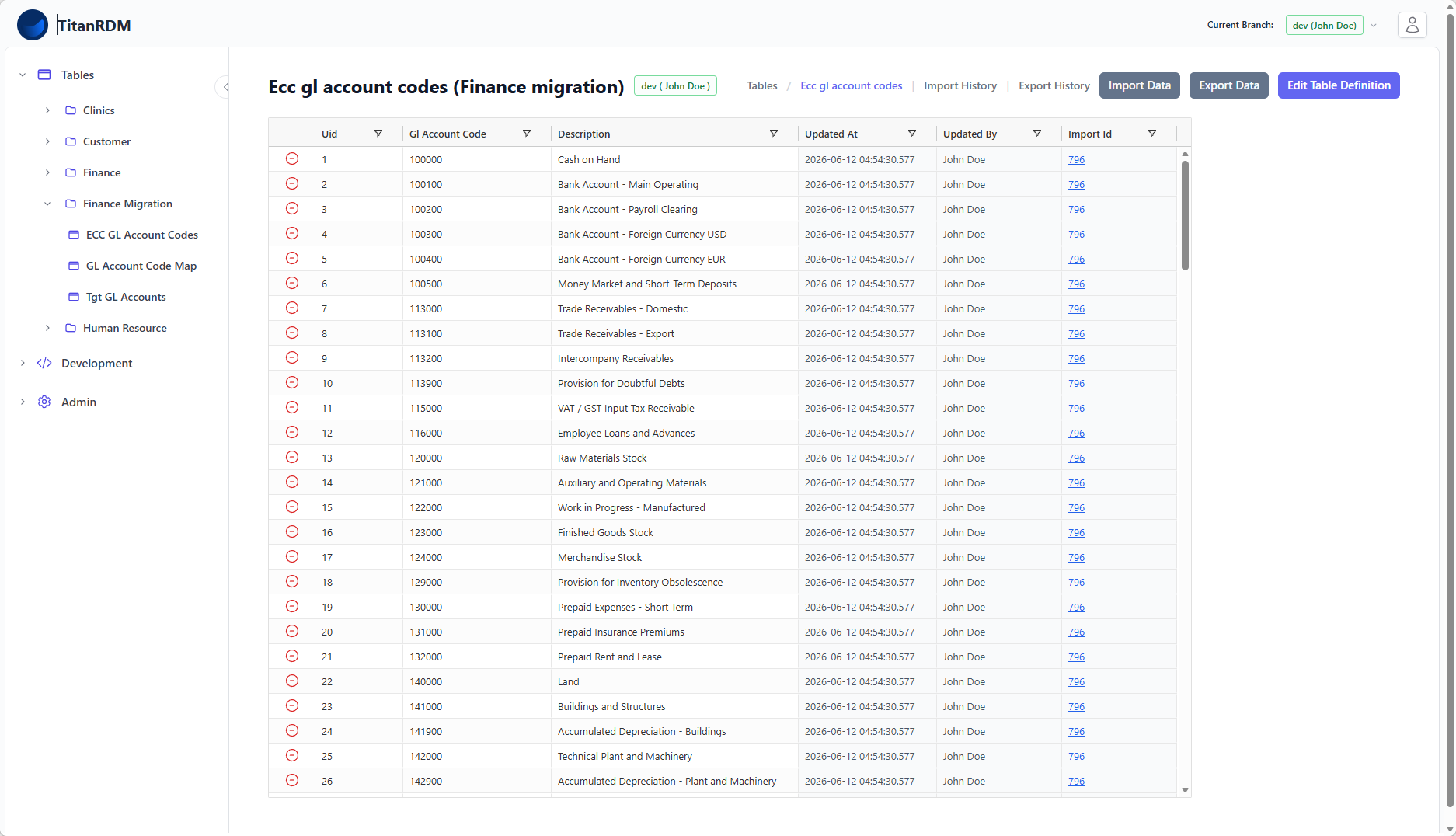
1. Legacy_GL_Account_Codes
Contains the GL Account Codes from the legacy ERP system (SAP ECC). A simple structure sufficient for mapping purposes.
| Column | Type | Key | Description |
|---|---|---|---|
gl_account_code | varchar(20) | PK | Legacy GL Account Code |
description | varchar(255) | Human-readable description |
2. Target_GL_Accounts
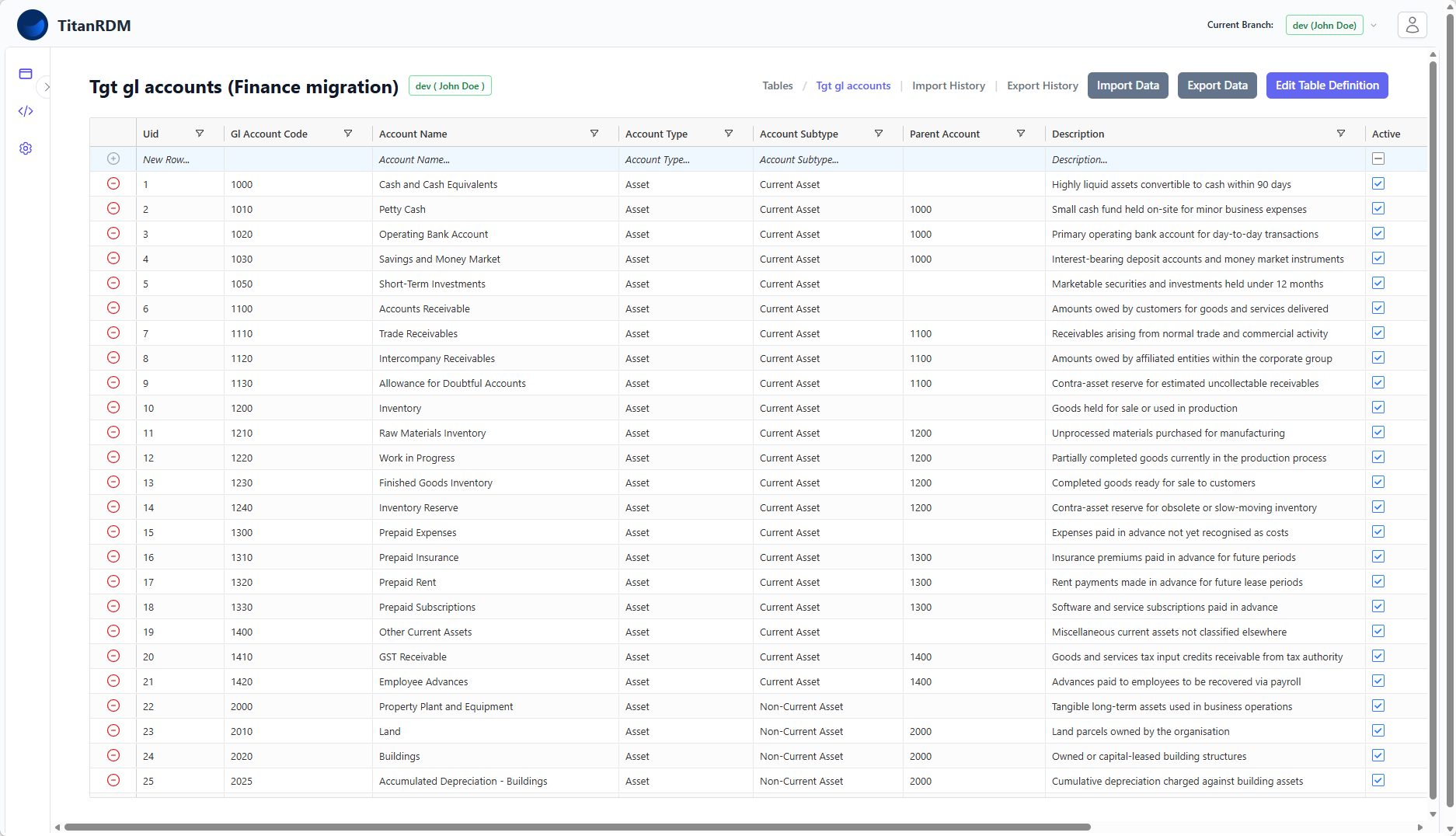
Contains the full details of the target Oracle GL Account Codes. This table serves as the authoritative source for GL Account Codes in the new ERP system.
| Column | Type | Key | Description |
|---|---|---|---|
gl_account_code | varchar(20) | PK | Target GL Account Code |
account_name | varchar(255) | Account display name | |
account_type | varchar(50) | e.g. Revenue, Expense, Asset, Liability | |
account_subtype | varchar(100) | Further classification | |
parent_account | varchar(20) | Hierarchy reference | |
description | text | Full description | |
active | boolean | Whether the code is active |
3. GL_Account_Code_Map
The mapping table linking legacy codes to target codes. The separate mapping table (rather than a column on the legacy table) is required to support the many-to-one scenario. Because the logic for the split scenario is complex, and can only be implemented in code, only a description of the logic is stored in the split_logic_description column.
| Column | Type | Key | Description |
|---|---|---|---|
legacy_gl_account_code | varchar(20) | PK, FK | References Legacy_GL_Account_Codes |
target_gl_account_code | varchar(20) | PK, FK | References Target_GL_Accounts |
is_split | boolean | Indicates this is part of a one-to-many split | |
split_logic_description | text | Describes the transformation logic for splits |
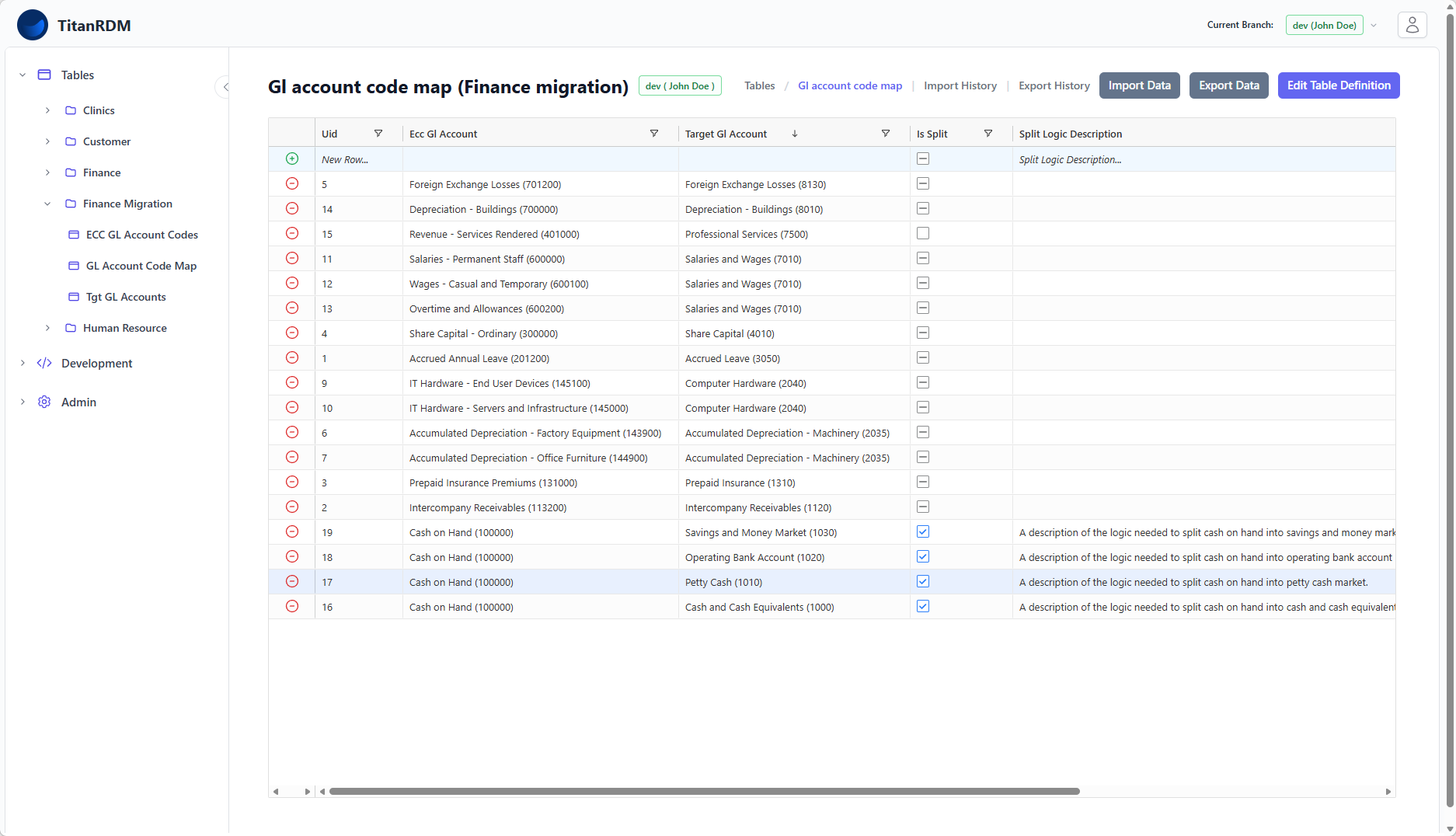
Tip: The foreign key columns provide dropdown lookups in the TitanRDM data grid, allowing the finance team to select valid legacy and target codes without memorising code values.
For more on foreign key configuration, see Foreign Keys.
Team Responsibilities
| Responsibility | Finance Team | Tech Team |
|---|---|---|
| Define target GL Account Code schema | ✓ | |
| Maintain GL code mappings | ✓ | |
| Initial spreadsheet load | ✓ | |
| Create TitanRDM table definitions | ✓ | |
| Deploy tables to environments | ✓ | |
| Build and manage Databricks sync notebook | ✓ | |
| Promote reference data through environments | ✓ | |
| Validate mappings in Test/UAT | ✓ | ✓ |
Data Integration with Databricks
The technical team created a single Databricks notebook that synchronises data bidirectionally between Databricks and TitanRDM using the TitanRDM REST API.
Sync Convention
The notebook uses a naming convention to determine what to sync: in a designated Databricks schema (set up for the migration project), if a table or view name matches the The notebook is:
- Scheduled — runs on a regular cadence to keep data in sync
- On-demand — can be triggered manually so mapping changes are instantly available to migration scripts For details on the API import/export workflow, see SDK Imports and Exports. TitanRDM branches were configured to mirror the migration project's environments: Each developer gets their own independent development environment to test their changes without affecting others. Key benefit: The promotion process merges changes from one environment to another with a full diff. Changes to data mappings are tested in lower environments before reaching Staging/Prod. Each environment has its own sync schedule with the data platform, so migration scripts in each environment always use the appropriate version of the mappings. For more on the promotion workflow, see Promoting Changes. The GL Account Code mapping pattern in TitanRDM provides: This pattern has been successfully applied to large-scale ERP migrations where hundreds of GL Account Codes require careful mapping, validation across multiple environments, and coordinated cutover to production. name of a TitanRDM table, the data is automatically uploaded/downloaded and merged.
# Example: Databricks schema layout
migration_project.Finance.Legacy_GL_Account_Codes → syncs to TitanRDM Finance.Legacy_GL_Account_Codes
migration_project.Finance.Target_GL_Accounts → syncs to TitanRDM Finance.Target_GL_Accounts
migration_project.Finance.GL_Account_Code_Map → syncs to TitanRDM Finance.GL_Account_Code_Map
Sync Modes
Direction Use Case Databricks → TitanRDM Loading legacy GL codes extracted from SAP ECC TitanRDM → Databricks Exporting target codes and mappings for use by migration scripts
Environment Management
Prod ← Staging ← UAT ← Test ← Dev
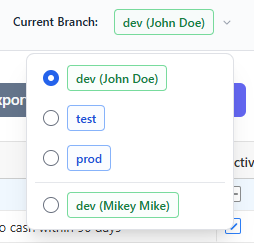
Workflow
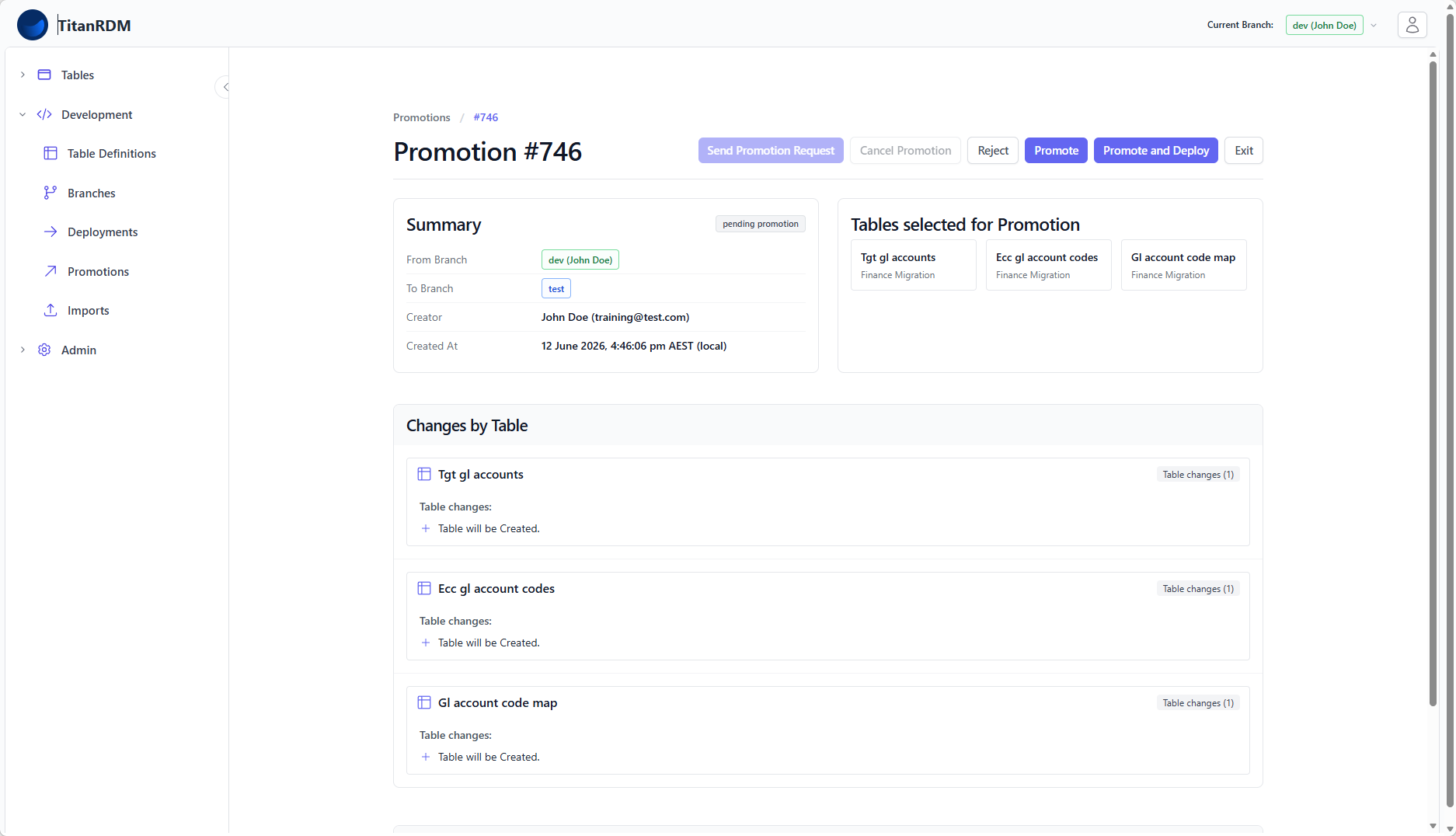
Summary
Related Documentation