Import Schema
Available to: Developers, Admins Minimum plan: Free
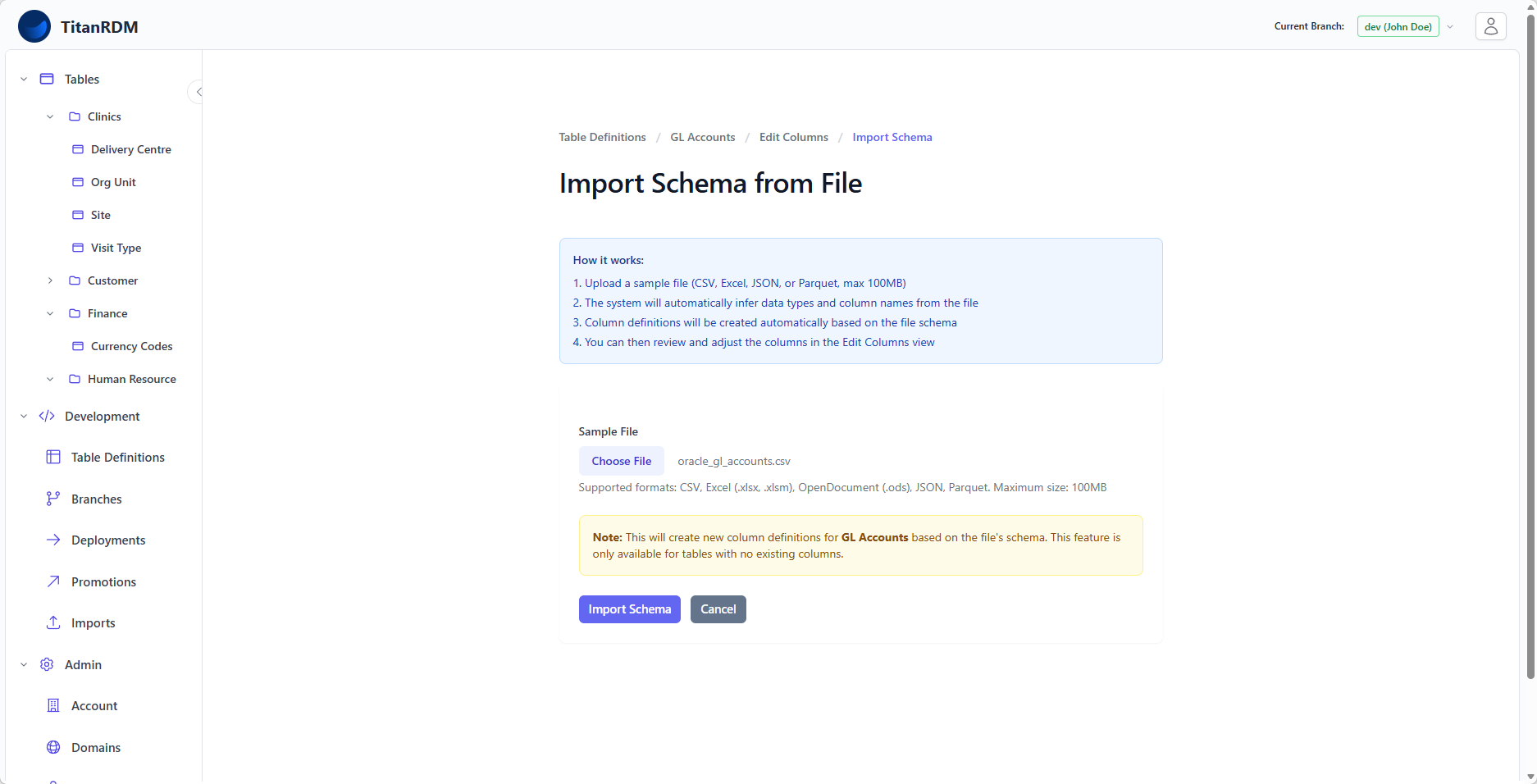
Instead of manually defining columns one by one, you can import a table schema from a data file. TitanRDM analyses the file's structure and automatically creates column definitions with inferred data types — a fast way to bootstrap a table definition from an existing data source.
Prerequisites
- The table definition must have no existing column definitions. Import Schema is only available for brand-new tables that have not yet had columns defined.
- You need Developer permission on the table's domain and branch.
Note: If the table already has columns, Import Schema is disabled. Use Import Mappings instead to map an incoming file to existing columns.
Supported File Formats
You can import schema from any file format supported by TitanRDM's schema probing:
| Format | Extensions | Notes |
|---|---|---|
| CSV | .csv | Column names from the header row. Types inferred from data values. |
| Excel | .xlsx, .xlsm | Reads the first sheet. Column names from the header row. |
| JSON | .json | Array of objects. Keys become column names. |
| Parquet | .parquet | Column names and types from the Parquet schema (most accurate). |
How It Works
- You upload a data file to TitanRDM
- The file is processed by the Schema Probe service
- The service analyses the file structure and infers:
- Column names — from header rows or object keys
- Data types — by sampling values and selecting the best-fit PostgreSQL type
- Length/precision — estimated from the maximum observed values
- Column definitions are created automatically on your table definition
Type Inference Rules
The schema probe maps file data to TitanRDM column types:
| Detected Pattern | Inferred Type | Notes |
|---|---|---|
| Whole numbers | integer or bigint | bigint if values exceed integer range |
| Numbers with decimals | decimal | Precision and scale inferred from observed values |
| True/false values | boolean | |
| Date strings (YYYY-MM-DD) | date | |
| Datetime strings | timestamp or timestamptz | |
| All other values | varchar | Length inferred from longest observed value |
Tip: Parquet files provide the most accurate schema import because data types are encoded in the file format itself, rather than being inferred from string values.
Step-by-Step
Step 1: Create a Table Definition
- Navigate to Development > Table Definitions
- Click New Table Definition
- Fill in the name, domain, and load type
- Click Create Table Definition
Step 2: Import the Schema
After creation, you are taken to the Edit Columns page. Since the table has no columns:
- Click Import Schema (available in the toolbar or from the table definition's action menu)
- Upload your data file
- Wait for the file to be processed
Step 3: Review the Results
Once processing completes, you are redirected to the Edit Columns page with all inferred columns populated:
- Review each column's name and data type
- Adjust types, lengths, or scales as needed (the inference is a best guess)
- Add primary key flags
- Add required flags
- Set up foreign key references if applicable
- Add valid values constraints
- Reorder columns if desired
Step 4: Deploy
Once you are satisfied with the column definitions, deploy the table as normal.
Column Name Normalisation
Imported column names are normalised to be valid identifiers:
- Spaces and special characters are replaced with underscores
- Leading digits are prefixed with an underscore
- Names are lowercased
For example:
- Product Code → product_code
- 2024 Revenue → _2024_revenue
- Customer Name (Full) → customer_name_full
Limitations
- Import Schema is only available for tables with no existing columns. You cannot use it to add columns to a table that already has a defined structure.
- The inferred types are a best effort — always review and adjust before deploying.
- Very large files may take longer to process as the schema probe needs to sample enough rows to make accurate type decisions.
- The uploaded file is deleted from storage after schema extraction is complete.
Related Pages
- Creating Tables — the full table creation workflow
- Column Types Reference — understanding the inferred data types
- Import Mappings — mapping file columns to existing table columns
- Importing Data — loading data after the schema is defined